
Toyota RAV4 (XA40) 2013-2018 Service Manual: Air conditioning control assembly (for manual air conditioning system)
Components
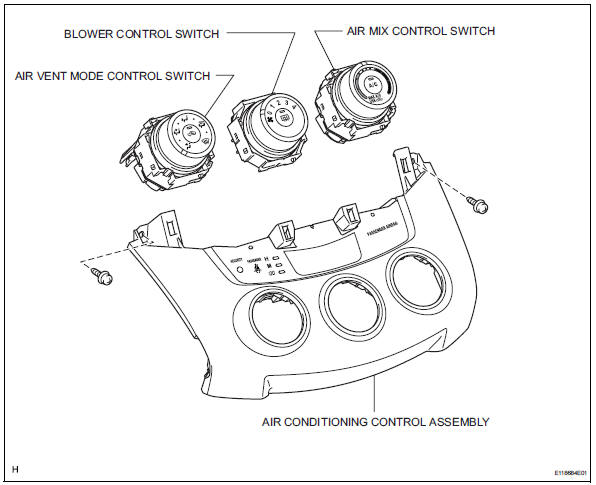
Removal
- Disconnect cable from negative battery terminal
Notice:
Wait at least 90 seconds after disconnecting the cable from the negative (-) battery terminal to prevent airbag and seat belt pretensioner activation.
- Remove no. 2 Instrument cluster finish panel center (see page ip-5)
- Remove no. 1 Instrument cluster finish panel center (see page ip-5)
- Remove radio receiver assembly (see page ip-5)
- Remove air conditioning control assembly
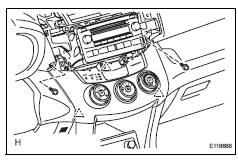
- Remove the 2 screws.
- Using a screwdriver, detach the 3 clips.
Hint:
Tape the screwdriver tip before use.
- Disconnect the connectors and remove the air conditioning control.
- Remove air mix control switch
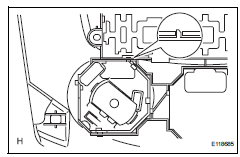
- Detach the 2 claws and remove the air mix control switch.
- Remove blower control switch
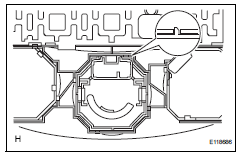
- Detach the 2 claws and remove the blower control switch.
- Remove air vent mode control switch
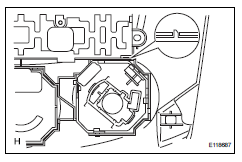
- Detach the 2 claws and remove the mode control switch.
Installation
- Install air vent mode control switch
- Attach the 2 claws to install the mode control switch.
- Install blower control switch
- Attach the 2 claws to install the blower control switch.
- Install air mix control switch
- Attach the 2 claws to install the air mix control switch.
- Install air conditioning control assembly
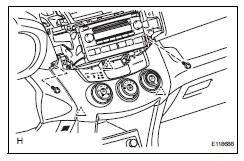
- Connect the connectors.
- Attach the 3 clips to install the air conditioning control.
- Install the 2 screws.
- Install radio receiver assembly (w/ radio receiver) (see page ip-10)
- Install no. 1 Instrument cluster finish panel center (see page ip-10)
- Install no. 2 Instrument cluster finish panel center (see page ip-10)
- Connect cable to negative battery terminal
- Check srs warning light
- Check the srs warning light (see page rs-37).
 Air conditioning control assembly (for automatic air conditioning system)
Components
Removal
Disconnect cable from negative battery
terminal
Notice:
Wait at least 90 seconds after disconnecting the
cable from the negative (-) battery terminal to
prevent air ...
 Lighting
...
Other materials:
Horn relay
On-vehicle inspection
Remove engine room no. 1 Relay block cover
Inspect integration relay (unit a: horn relay)
Using a screwdriver, detach the 2 claws and
disconnect the integration relay from the engine
room junction block.
Hint:
Tape the screwdriver tip before use.
Mea ...
Front passenger occupant classification system
Your vehicle is equipped with a front passenger occupant classification
system. This system detects the conditions of the front
passenger seat and activates or deactivates the devices for the
front passenger.
Seat belt reminder light
Srs warning light
“Air bag off� indicator light ...
Bluetooth® phone
settings
You can adjust the hands-free system to your desired settings.
“Phone/message settings� screen
To display the screen shown below, press the “setup� button, and
select “phone� on the “setup� screen.
Set the phone connection
Setting the sound
Contact/call history settings
...
